Tuesday, May 31, 2011

SIP – Session Initiation Protocol Glossary


SIP             Session Initiation Protocol.
IETF           Internet Engineering Task Force
RTP           Real-Time Protocol
RTSP         Real-Time Steaming Protocol
SIMPLE      Session Initiation Protocol for Instant Messaging and Presence Leveraging Extensions
TCP            Transport Control Protocol
UDP            User Datagram Protocol
IMPP          Instant Messaging and Presence Protocol
URI             Uniform Resource Identifier
PSTN         Public Switched Telephone Network
SMTP         Simple Mail Transfer Protocol
VPN            Virtual Private Networking
IPsec          Internet Protocol Security
ENUM         Electronic Numbering

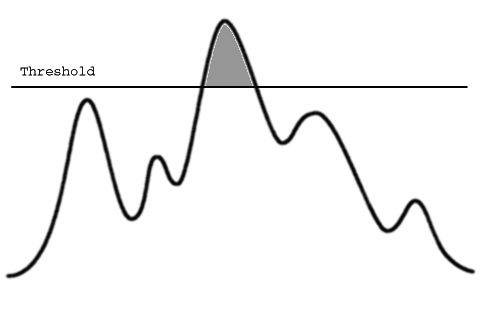
Threshold --- The starting point for a new state or experience, which may be of one’s interest. 

The Threshold limit value (TLV) of noise pollution  is a level to which it is believed a worker can be exposed day after day for a working lifetime without adverse health effects.


Tuesday, May 17, 2011

Strace_oprofiler)----(kernel/application Performance checking tools)


Profiling
Profliling is a type of dynamic program analysis, which comprises of  investigation of a program’s behavior when the program is being executed.

The usual purpose of profiling is to determine which part of the program is needs to be optimized for decreasing its memory requirements, increasing overall speed.

Flat profiler
Flat profilers compute the average call times, from the calls, and do not break down the call times based on the callee or the context.

Call-graph profiler
Callgraph profilers show the call times, and frequencies of the functions, and also the call-chains involved based on the callee. However context is not preserved.
Oprofiler allows you to learn where the application spent its time and which functions called which other functions while it was executing.
It is useful in determining which part of the application is slower than expected, and might help for rewriting your program to execute faster.

 We can notice which functions are being called more or less number of times than you expected.

CallGraph
A call graph is a directed graph that represents calling relationships between functions/subroutines in a program. Here each node represents a procedure and each edge (x,y) indicates that procedure/function x calls procedure/function  y.
A cycle in the graph indicates recursive function/procedure calls.

How to use Strace
---------------------------
what is  strace ?? (Its a nice debugging tool,if you know how to use it effectively)
strace tool shows how an application interacts with the operating system, how it uses the system calls  strace displays the system calls made by te application and their parameters,it also shows the return values of each and every system calls.
To know which system calls our application is calling, give this in the console
 strace   path_to_the_program_you_want_to_run(here path to your application is argument to strace)

Trace system calls
------------------------------
strace -f ls
Important: Failed system calls return -1.
eg:-: access("/etc/ld.so.preload", R_OK)      = -1 ENOENT (No such file or directory)
In the above example, the access() return value is -1 , given along with symbolic name of ENOENT error code. which clearly means file does not exist.